Loading insight...
AI & Automation
Legacy Software Modernization: Rebuild & Redesign
Nov 7, 2026
Introduction: Your Business Has Evolved. Has Your Software?
Many businesses still depend on software developed 10, 15, or even 20 years ago.
These applications may have served their purpose successfully for years, managing everything from inventory and accounting to customer relationships, employee operations, and business-critical workflows.
However, as businesses grow, their technology requirements change.
An application originally designed for a small team may struggle to support multiple locations, remote employees, modern integrations, or increasing transaction volumes.
Outdated interfaces, limited accessibility, rising maintenance costs, and dependency on older technologies can gradually become barriers to business growth.
But here’s the important part:
Modernizing your software doesn’t necessarily mean abandoning the system your business has relied on for years.
With the right modernization strategy, existing desktop and web applications can be transformed into modern, scalable, secure, and professionally branded digital platforms while preserving valuable business logic and data.
At SquareBlitz, we help businesses re-engineer existing applications, modernize outdated technology, and create software experiences designed for evolving business needs.
1. What Is Legacy Software Modernization?
Legacy software modernization is the process of upgrading, rebuilding, or transforming an existing application to meet modern business and technology requirements.
A legacy application isn’t necessarily software that has stopped working.
It may still perform its core functions reliably but lack the flexibility, security, usability, or integration capabilities expected from modern business applications.
Common examples include:
- Windows desktop applications developed using older technologies
- Legacy PHP, ASP.NET, Java, or other web applications
- Older ERP, CRM, and inventory management platforms
- Microsoft Access-based business systems
- Custom accounting and financial applications
- Outdated SaaS products and customer portals
- Applications dependent on unsupported libraries or frameworks
- Business processes managed through complex spreadsheets and disconnected tools
Modernization can involve improving the existing application, migrating to a newer technology stack, rebuilding specific modules, or developing an entirely new platform.
The objective is not simply to make old software look modern.
The real goal is to make the application easier to maintain, more efficient to operate, and better prepared for future business requirements.
2. Seven Signs Your Business Software Needs Modernization
Many companies continue using outdated software because it still performs essential tasks.
However, certain warning signs indicate that modernization should be considered.
1. Your software has an outdated user interface
Employees may need to navigate complicated screens, repetitive forms, and confusing workflows to complete routine tasks.
A modern interface can reduce unnecessary steps and improve usability.
2. The application is becoming difficult to maintain
If every enhancement requires significant development effort or knowledge of outdated technologies, maintaining the system may become increasingly expensive.
3. Your software cannot easily integrate with other systems
Modern businesses depend on payment gateways, accounting systems, CRMs, communication tools, and third-party APIs.
Legacy software may lack the architecture required for reliable integration.
4. Employees cannot access the system remotely
Traditional desktop applications are often designed for specific computers or internal office networks.
Businesses with distributed teams may need secure access through web browsers or mobile devices.
5. Reporting depends on manual processes
If employees regularly export data into spreadsheets to create reports, the application may benefit from integrated dashboards and automated reporting.
6. The technology creates security concerns
Unsupported frameworks, outdated dependencies, weak authentication, and limited monitoring can increase operational and security risks.
7. Adding new features takes too long
When simple enhancements become complex projects, the existing architecture may no longer support the pace of business change.
If several of these challenges sound familiar, it may be time to evaluate a modernization strategy.
3. Modernizing Legacy Desktop Applications
Many organizations still rely on traditional desktop software for daily operations.
These applications may have been developed using technologies such as Visual Basic, Delphi, older .NET frameworks, Java Swing, or Microsoft Access.
While they can remain useful, traditional desktop applications may create limitations related to deployment, maintenance, accessibility, and integrations.
How can desktop software be modernized?
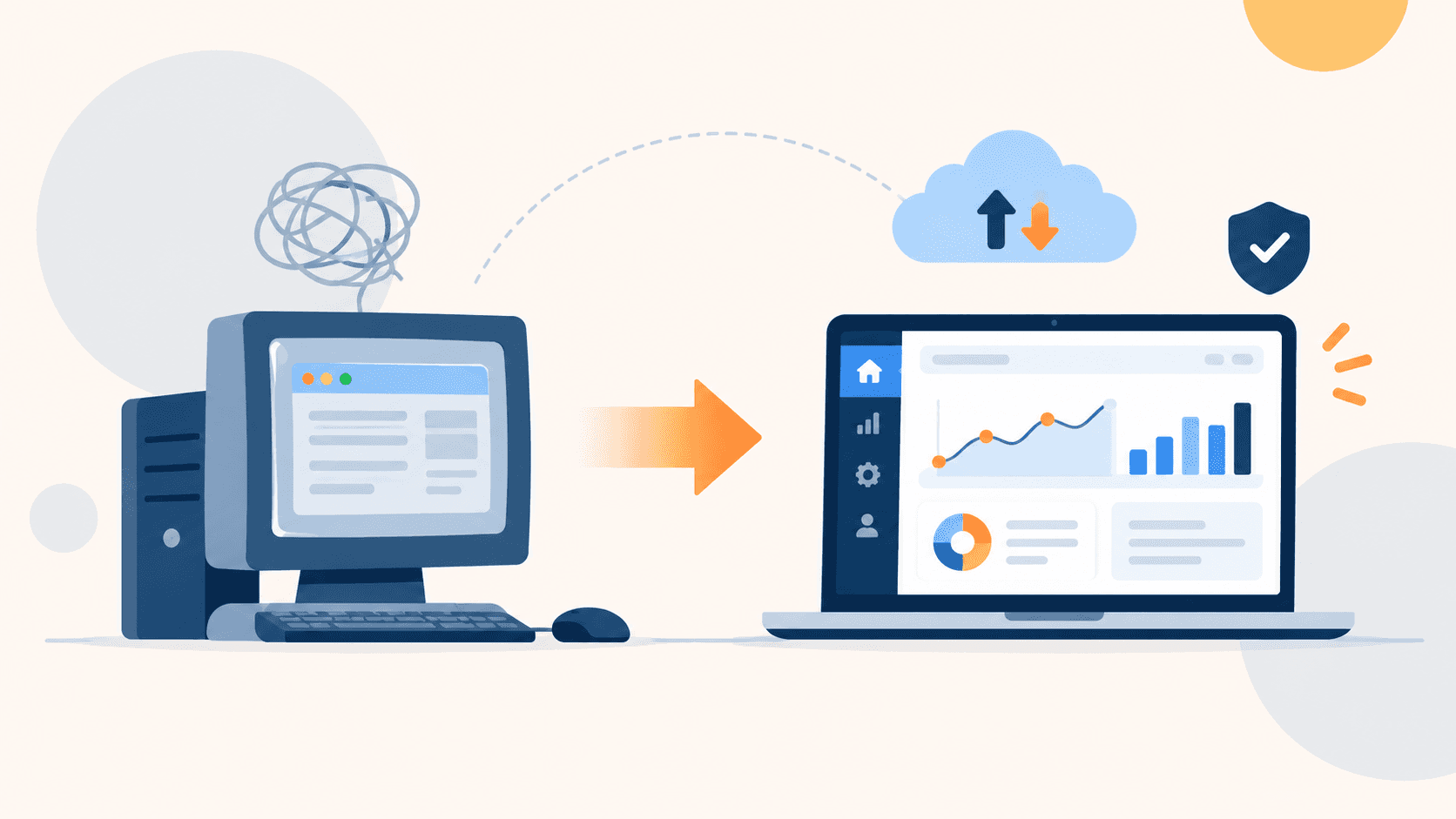
Depending on business requirements, a traditional desktop application can be transformed into a modern web-based or cloud-ready platform.
Consider an inventory management application installed on individual office computers.
The existing application may handle:
- Product and stock management
- Purchase orders
- Sales transactions
- Supplier management
- Stock movement
- Operational reporting
A modernization project could transform it into a centralized web application with:
- Secure browser-based access
- Modern dashboards and intuitive navigation
- Real-time inventory visibility
- Role-based permissions
- Multi-location management
- Automated notifications and reporting
- Integration with accounting and eCommerce platforms
- Mobile-friendly interfaces
The organization can retain its essential business processes while gaining a more accessible and maintainable software platform.
However, some desktop applications rely on specialized hardware, offline operations, or complex operating-system integrations. In those cases, a modern desktop architecture or hybrid solution may be more appropriate than a complete web conversion.
4. Transforming Outdated Web Applications into Modern Digital Platforms
Legacy web applications can present a different set of challenges.
A business may have an application developed years ago using older PHP frameworks, ASP.NET, Java, or outdated frontend technologies.
Although the application continues functioning, its architecture may make new features, integrations, or interface improvements difficult.
Modernization opportunities include:
Complete UI/UX redesign
Replace outdated interfaces with modern, responsive designs that improve navigation and usability across desktop, tablet, and mobile devices.
Backend modernization
Refactor or rebuild application components using maintainable architectures and appropriately selected technologies.
API development and integration
Introduce APIs that allow the platform to communicate with external business systems, mobile applications, and third-party services.
Improved application performance
Identify inefficient database queries, unnecessary processing, architectural bottlenecks, and other performance limitations.
Security improvements
Introduce stronger authentication, authorization, dependency management, logging, and appropriate security controls.
Cloud readiness
Evaluate cloud hosting, scalable infrastructure, backup strategies, monitoring, and deployment automation based on the application’s requirements.
The result can be a significantly improved platform that supports the organization’s current needs while providing a stronger foundation for future development.
5. Rebuild, Replatform, or Replace: Which Approach Is Right?
Not every legacy application requires a complete rebuild.
Choosing the correct modernization strategy is essential to managing cost, complexity, and business risk.
| Approach | Description | Best suited for |
|---|---|---|
| Refactor | Improve existing code without fundamentally changing its behavior | Applications with a viable architecture |
| Replatform | Move an application to a newer environment with targeted changes | Systems needing infrastructure improvements |
| Re-engineer | Redesign major components or workflows | Applications requiring substantial improvements |
| Rebuild | Develop a new application based on validated business requirements | Systems with significant technical limitations |
| Replace | Adopt another product or platform | Businesses whose needs can be met by existing software |
A complete rebuild may be appropriate when the existing architecture is difficult to maintain or cannot realistically support future requirements.
However, incremental modernization may be safer and more cost-effective when essential parts of the existing system remain reliable.
A proper technical assessment helps determine the most suitable approach.
6. Give Your Existing Software a Completely New Look and Brand Identity
Modernization is also an opportunity to transform the way users experience your software.
An outdated application can be redesigned into a professionally branded product that reflects your company’s current identity.
This can include:
- A completely redesigned interface
- Updated company branding, colors, and typography
- Modern dashboards and navigation
- Improved user journeys
- Responsive layouts
- Custom login and onboarding experiences
- Simplified forms and data-entry processes
- Consistent interfaces across different modules
For software vendors, this transformation can be especially valuable.
An established software product may contain years of industry knowledge and functional improvements, but its appearance and user experience may no longer meet customer expectations.
Re-engineering the application can help create a more contemporary product experience without unnecessarily discarding the domain expertise embedded in the original system.
Modern technology. Refreshed branding. A better user experience.
7. Preserve Your Business Logic and Existing Data
One of the biggest concerns businesses have about rebuilding software is losing years of valuable information and established workflows.
Legacy applications often contain complex business rules that have evolved through years of operational experience.
These rules may control pricing, approvals, calculations, compliance processes, reporting, and other important activities.
A successful modernization project should identify and preserve the business logic that remains relevant.
Understanding the existing application
Before redevelopment begins, the existing system should be analyzed to understand its features, user roles, database structure, integrations, and business rules.
Data migration planning
Existing records may need to be extracted, cleaned, transformed, and migrated into a modern database.
Validation and testing
Critical calculations, workflows, reports, and migrated records should be verified against agreed acceptance criteria.
Phased implementation
Where appropriate, the modern application can be introduced gradually, allowing users to validate functionality before the legacy system is retired.
The aim is to reduce operational disruption while improving the technology supporting the business.
8. Add Modern Capabilities to Your Existing Software
Software modernization creates opportunities beyond visual improvements.
Businesses can introduce capabilities that may not have been practical when the original application was developed.
AI-powered document processing
Extract and validate information from invoices, application forms, supporting documents, and other business records, with human review where needed.
Workflow automation
Automate repetitive activities such as notifications, task assignments, approvals, and status updates.
Business intelligence and dashboards
Provide improved visibility into operational performance through centralized reporting and interactive dashboards.
Third-party integrations
Connect applications with payment gateways, communication services, accounting software, and other business systems.
Mobile accessibility
Enable employees and customers to access appropriate features through responsive web applications or dedicated mobile apps.
Role-based access and audit trails
Improve accountability by controlling access to sensitive features and recording important system activities.
These enhancements should be selected based on measurable business value rather than added simply because a technology is new.
9. Example: Transforming a Legacy ERP into a Modern Business Platform
Consider a company using an older ERP system to manage inventory, purchasing, sales, expenses, and financial reporting.
The application works, but employees face several challenges.
Different departments maintain separate spreadsheets, reporting is time-consuming, remote access is limited, and new features require extensive development effort.
A modernization initiative could follow this approach:
Step 1: Understand existing workflows
Document inventory management, purchasing, sales, accounting, user permissions, and reporting requirements.
Step 2: Design a modern interface
Create intuitive dashboards, simplified workflows, and role-specific navigation.
Step 3: Modernize the application architecture
Develop a maintainable backend, structured APIs, and an appropriate database design.
Step 4: Migrate business data
Transfer essential records with reconciliation and validation.
Step 5: Introduce additional capabilities
Add centralized reporting, automated approvals, notifications, and integrations where beneficial.
Step 6: Deploy and transition
Conduct user testing, prepare employee training, and introduce the modern platform through a planned migration.
The outcome could be a centralized business management application that is easier to use, maintain, and extend.
This is an illustrative modernization scenario, not a claim about a specific completed client project.
10. How SquareBlitz Approaches Legacy Software Modernization
At SquareBlitz, we view software modernization as both a technology initiative and a business improvement opportunity.
Our approach focuses on understanding the existing system before recommending how it should evolve.
Discovery and application assessment
We begin by evaluating the existing application’s functionality, architecture, database, integrations, and business requirements.
Modernization strategy
Based on the assessment, we identify whether refactoring, replatforming, phased re-engineering, or complete redevelopment is appropriate.
UI/UX and application architecture
We design modern interfaces and define an architecture aligned with the application’s functional, security, performance, and scalability needs.
Development and integration
Our engineering capabilities include technologies such as React, Next.js, Node.js, PHP/Laravel, and cloud-based infrastructure, selected according to project requirements.
Data migration and quality assurance
We plan migration activities, validate critical functionality, test integrations, and verify essential business processes.
Deployment and ongoing evolution
Following deployment, the platform can continue evolving through enhancements, integrations, monitoring, and ongoing engineering support.
Our objective is to help organizations modernize their technology while protecting the business capabilities that make their existing applications valuable.
11. Is It Time to Modernize Your Business Software?
Legacy software often represents years of investment, operational experience, and business knowledge.
That investment does not have to be lost when technology changes.
Whether your organization operates an outdated desktop application, legacy web portal, custom ERP, CRM, or industry-specific software platform, modernization can provide a practical path forward.
The right approach depends on your existing architecture, business requirements, migration complexity, budget, and long-term objectives.
Modernization is not always about rebuilding everything.
It’s about preserving what works, improving what doesn’t, and preparing your software for what’s next.
Transform Your Legacy Software with SquareBlitz
Is your existing application becoming difficult to maintain, enhance, or scale?
SquareBlitz helps businesses evaluate, redesign, rebuild, and modernize legacy desktop and web applications.
Whether you need a completely new interface, modern application architecture, cloud migration, API integrations, or a full redevelopment project, our engineering team can help you explore the right approach.
Your software has a history. Let’s give it a future.
AI & AutomationApplication ModernizationCustom Software DevelopmentDesktop to WebSoftware Re-Engineering
Follow us for more insights
We share what we're learning about AI, automation, and engineering for FinTech and eCommerce teams on LinkedIn.
Follow SquareBlitz on LinkedIn